
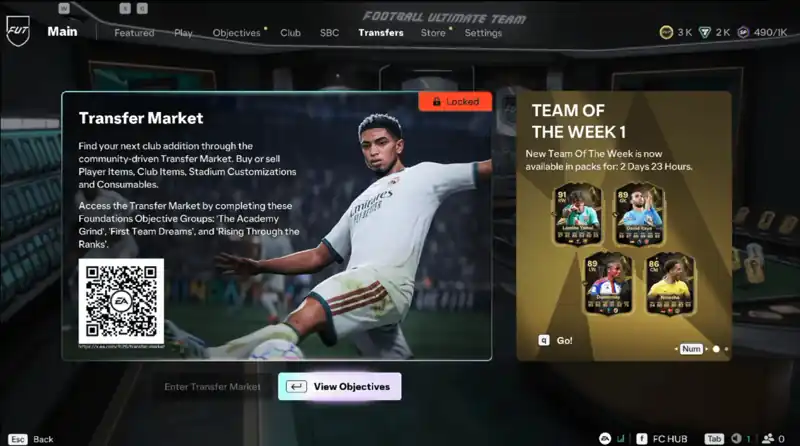
Do you have Transfer Market access?
Before using a service that relies on the Ultimate Team Transfer Market, check that the account you intend to use can access the market. EA currently uses Graduated Access for some new players, while eligible returning players in good standing may already have access.
EA says new players may need to complete a sequence of Ultimate Team Objective Groups before Transfer Market access becomes available. The exact experience can differ depending on account history and eligibility, so check the account itself rather than assuming access is active.
What new players may need to complete
Make sure you are using the correct EA account and platform you plan to use for the order.
EA currently directs new players through the Graduated Access Objective Groups inside Ultimate Team.
EA's current flow lists The Journey Begins, First Team Dreams and Rising Through the Ranks before Transfer Market and Champions access unlock.
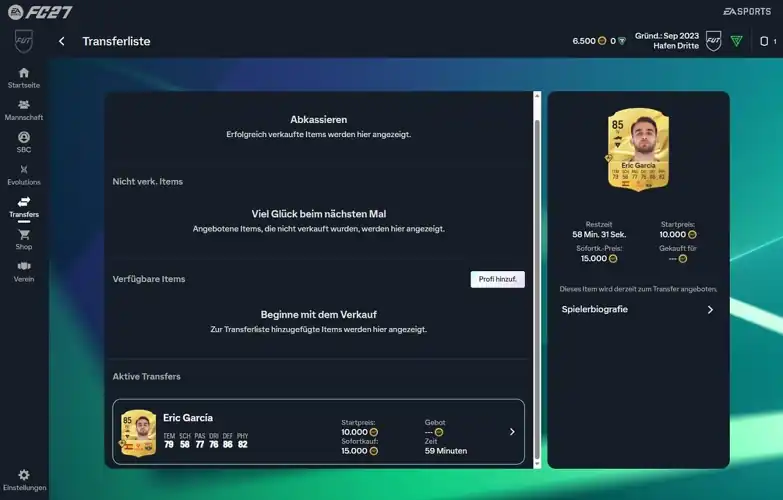
Open the Transfer Market and make sure you can search, list and buy items before continuing with an order.
Web App and Companion App access
Transfer Market access in the game and access through the Web App or Companion App are related but not always identical. EA maintains separate guidance for Web and Companion App access, including returning-player eligibility and activity requirements.
If your XP247 order asks you to stay logged out while validation or delivery is active, follow the instructions shown on the order. Opening FC, the Web App or Companion App while a transfer is active can interrupt the process.
Before you order FC 27 Coins
Official EA information
This website is not endorsed by or affiliated with EA or its licensors.
Choose your FC 27 platform.
Compare the current PlayStation, Xbox and PC options before starting an order.