
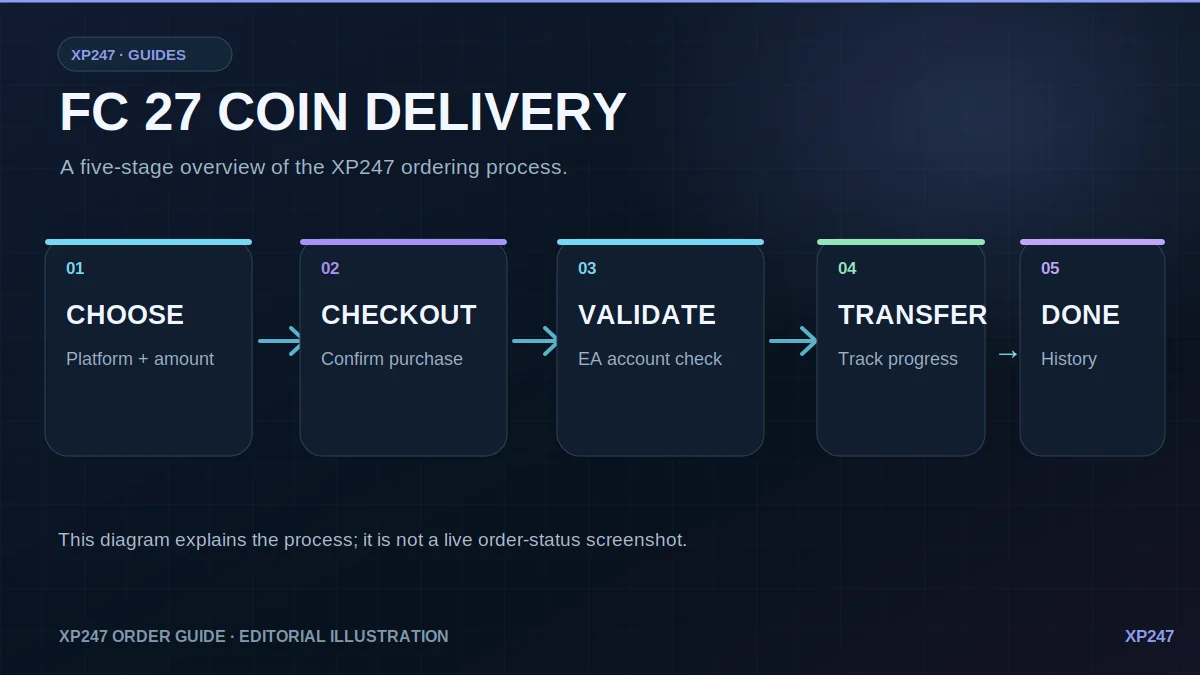
The XP247 delivery flow
FC 27 Coin orders move through a guided sequence rather than leaving you to guess what is happening. Your selected game, platform, amount and delivery state stay linked to the order in your XP247 account.
Select the FC 27 product for PlayStation, Xbox or PC and choose an amount that is currently available.
Review the current price and create the order. The order becomes the single place to return to for the rest of the delivery.
After payment, provide the EA details requested by the order so the account and selected platform can be checked before transfer begins.
Once validated, the order moves into transfer and shows the delivered amount and any action required as progress changes.
When the transfer finishes, the completed order remains in your account history.
What you need before validation
Why you should stay logged out
When an order is validating or transferring, the safest approach operationally is to leave FC, the Web App and the Companion App closed until XP247 says the transfer is complete or tells you another action is needed.
If you open the account elsewhere during an active transfer, the external session can interfere with the delivery process. Your XP247 order is designed to keep its current stage so you can close the website itself and come back later without creating a duplicate transfer.
What the order statuses mean
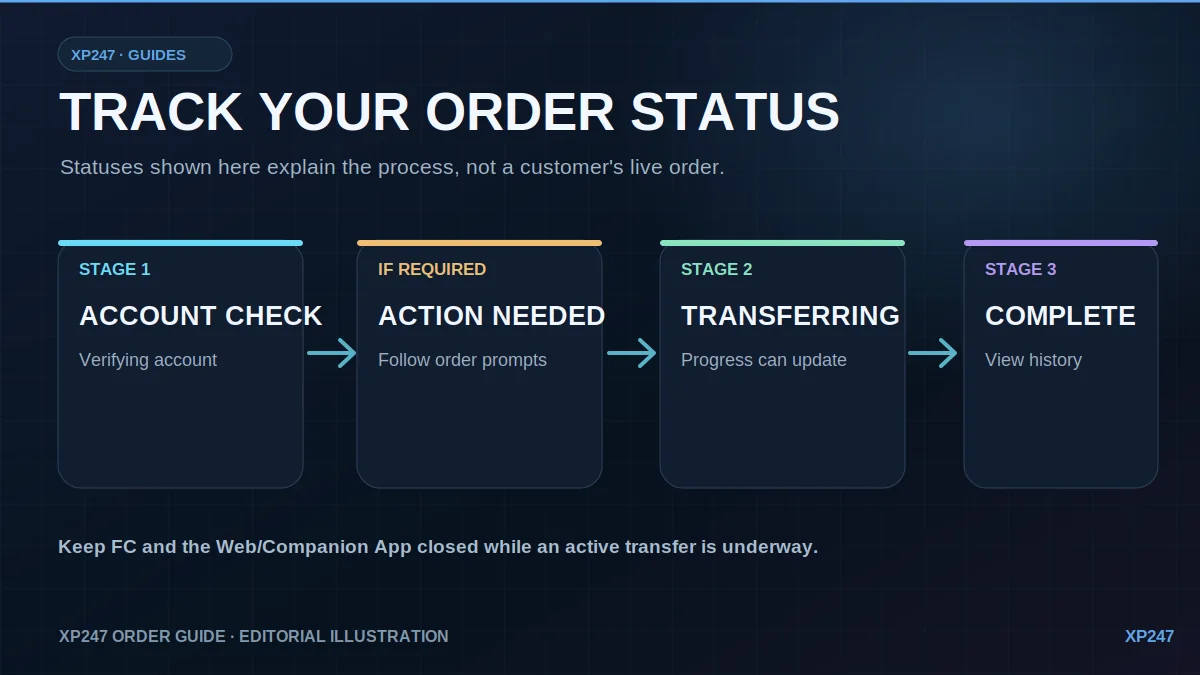
XP247 is not endorsed by or affiliated with EA or its licensors. Illustrative diagrams are not screenshots of account or order activity.
Check current packages.
Choose your platform and see the available FC 27 Coin amounts and current prices.